A Hidden Board Behind the Screen: How Tampered Trezor Wallets From One Reseller Copied Recovery Phrases, Step by Step
Trezor has confirmed malicious hardware implants in three Safe 5 hardware wallets sold by Southeast Asian reseller CryptoBilis. We walk through how the extra circuit board captured recovery phrases, what the November 11 firmware update changes, and what buyers should do.
A hardware wallet is supposed to be the safest place to keep cryptocurrency keys, because the secret never leaves the device. Trezor has now confirmed that three of its Safe 5 wallets were physically tampered with before they reached buyers, with an extra circuit board that read the recovery phrase straight off the screen. The case follows similar implants found in Ledger wallets sold by the same reseller, which we covered in October. Here is how the attack worked, step by step, and what has changed since.
This walkthrough draws on reporting from BleepingComputer, with additional details from The Hacker News.
How the implant worked
- The device is bought through a reseller. All three confirmed wallets were Safe 5 units bought from CryptoBilis, an Indonesian reseller that was Trezor’s official Southeast Asian partner until October 9. They were purchased between August 20 and September 23, 2026. Trezor has not said who installed the implants or at what point in the supply chain.
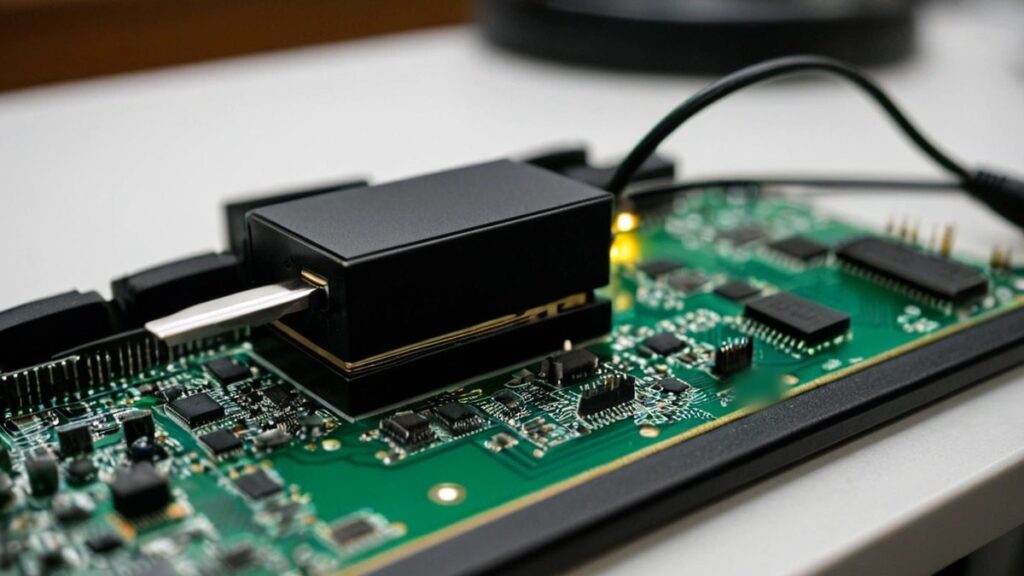
- An extra board sits between the main board and the display. It watches what appears on the screen and changes nothing else. Trezor found the wallet’s legitimate firmware and its Secure Element untouched, which is why normal integrity checks would not reveal it.
- The recovery phrase is captured. When the wallet shows the recovery words while a new backup is being created, or when an owner enters an existing phrase to restore a wallet, the implant copies them. It also grabs a passphrase if one appears on screen.
- The data is encrypted and sent out over a mobile network. The implant transmits what it captured to a server controlled by the attackers. If it cannot connect, it stores the data and keeps trying until it gets through.
- The attackers wait. Anyone holding a wallet’s recovery phrase can rebuild that wallet elsewhere and move the funds. Ledger said the implants in its devices were used to drain wallets in a single coordinated operation. Trezor says its implants work the same way, adapted to the Safe 5 display.
What Trezor confirmed and changed
- Its lab examined the device first reported in October and identified two more compromised units from photos sent in by their owners. Forty-eight CryptoBilis buyers have come forward so far.
- No owners of the affected devices have reported losing funds. Because the wallets are self-custodial, Trezor cannot see balances itself.
- No implants have been found in devices from other resellers or in other Trezor models.
- Firmware 2.13.1, released November 11 for the Safe 7, Safe 5, Safe 3 and Model T, stops the implants found so far from capturing anything. It cannot protect a recovery phrase that was captured before the update was installed.
- Trezor has cut its reseller network by roughly 80%. It says many of the dropped resellers were trustworthy but did not meet stricter new rules on how devices are sourced, stored and handled.
Trezor’s advice to CryptoBilis buyers
- Move funds to a new wallet with a new recovery phrase. Restoring the old phrase on a different device does not fix the problem.
- Do not set up an unused wallet bought from that reseller, and never enter an existing phrase into one.
- Keep the device and contact Trezor Support, which is offering replacements to anyone who bought from CryptoBilis since March 2026.
- Do not try to weigh or open the wallet to check it, since neither is a reliable test.
- Never share a recovery phrase. Trezor will never ask for it, and scammers may pose as the company offering refunds or replacements.
What this means for your company
Even if your business never touches cryptocurrency, the lesson applies to any security hardware: a device is only as trustworthy as the path it took to reach you. Firewalls, security keys, laptops and network gear bought from gray-market or unvetted sellers carry the same kind of risk. Practical steps:
- Buy security hardware directly from the manufacturer or from resellers it lists as authorized, and keep proof of purchase.
- Track where each security device came from, so you can act quickly if a vendor issues a warning about a specific reseller.
- Install firmware updates on hardware tokens and appliances, not only on PCs.
- If your company holds digital assets, document who controls the recovery phrases, how they are stored, and how you would move funds to a fresh wallet if a device were ever in doubt.
Want a second set of eyes on how your company buys and tracks its security hardware? Reach out to Layer 7 Data Solutions to discuss how we’ve helped companies similar to yours.
About The Author