A Security Tool’s Own Update Turned on Its Customers: About 2,950 Linux Hosting Servers Ran a Data-Stealing Script
Attackers broke into the update system behind cPGuard, a security suite used on Linux web hosting servers, and pushed a fake release that ran as root and copied passwords, keys and shell history. Here is the briefing and the cleanup checklist.

The software that was supposed to guard the server became the way in. Over roughly 70 minutes in the early hours of November 2 (UTC), an attacker used the automatic update channel of cPGuard, a malware-scanning and firewall suite for Linux web hosting servers, to deliver a script that ran with full root privileges on close to 3,000 machines.
This briefing is based on Help Net Security’s write-up of the vendor’s incident report, with additional detail from BleepingComputer. The vendor, OPSShield, has published its own notice and indicators of compromise.
The short version
- Affected product: cPGuard, which hosting providers and server admins often run alongside control panels such as cPanel, DirectAdmin and Plesk.
- Bad versions: 5.88.12 through 5.88.19, uploaded to the vendor’s update storage on November 2.
- Reach: about 2,950 customer servers installed and ran the fake update, according to OPSShield.
- Also taken: roughly 7,900 customer account records from the vendor’s billing and licensing system, including names, company names, postal and email addresses and bcrypt-hashed passwords.
- Fix: clean releases that remove what the attacker left behind (reports cite 5.88.25 or later; the vendor’s most recent notice points to 5.88.26).
How the attacker got there
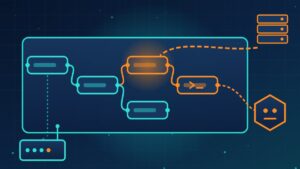
According to OPSShield, the groundwork started the day before. The attacker signed up for a customer account under a false identity, took a free trial of cPGuard and installed it to watch how the agent talks to the licensing system. Shortly afterward, crafted requests to the billing portal gave the attacker the ability to run commands on the billing and licensing server. From there, the attacker used an update-storage access key to publish the fake releases. The company says the whole sequence, from first probe to poisoned update, took about ten hours, and it warns that attackers using AI tools to find weak points and write custom tooling are making attacks like this faster and cheaper.
Two important questions are still open: OPSShield has not yet determined how the update key was obtained or exactly which request gave the attacker command execution on the billing server. Its logs did not record that request, and it says it has patched two possible entry points while it keeps reviewing the code.
What the script did on customer servers
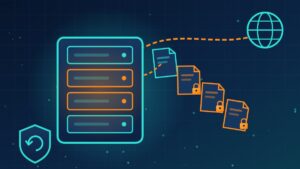
The payload was short and focused on secrets. It gathered Linux password hashes, root SSH keys, the MySQL root password where one existed, root’s shell history (which can contain typed passwords and tokens) and cloud storage keys, then sent the files to an account on OPSShield’s own licensing server for the attacker to collect. It also left a hidden root shell and a scheduled task behind. Reports citing the vendor’s evidence say the attacker retrieved 32 of the collected files, though outlets describe that figure slightly differently.
Because cPGuard checks for updates on an interval, servers that were offline or did not check in during the window did not receive the fake release.
What OPSShield has done
The company says it revoked the stolen key and its cloud API tokens, removed the attacker’s SSH key and cloned servers, replaced passwords and keys across its own systems, reset billing portal sessions, is re-issuing all cPGuard license key pairs, and is rebuilding its billing, licensing and management servers from clean images.
Cleanup checklist if you run cPGuard
- Check whether any server installed versions 5.88.12 to 5.88.19.
- Update to the current clean release and confirm the hidden root shell and the scheduled task are gone.
- Look for anything else unfamiliar: new users, SSH keys, services or outbound connections.
- Reset root and other local account passwords from a trusted recovery environment.
- Rotate database passwords, cloud storage keys, API tokens and anything that appears in root’s shell history.
- Replace the SSH private keys under /root/.ssh and remove their old public keys from every system that trusted them.
- Reset your OPSShield billing portal password and turn on two-factor login, even if no server was affected.
- If the vendor tells you the attacker logged in to your server by hand, rebuild it from a clean backup taken before November 1.
What this means for your company
Even if you have never heard of cPGuard, your website or customer portal may sit on a hosting server that runs it, or a tool very much like it. Ask your hosting provider or web developer whether they use it and, if so, what they have rotated. More broadly, this is a reminder that any agent which updates itself with root access is part of your attack surface. Know which tools on your servers auto-update, keep secrets out of shell history and config files where you can, and have a written plan for rotating keys quickly when a vendor tells you to.
Not sure which third-party tools have the keys to your servers, or how fast you could rotate every secret if one of them was compromised? Reach out to Layer 7 Data Solutions to discuss how we’ve helped companies similar to yours.
About The Author