GitHub’s New npm Firewall Checks Code Packages Before They Install. Your Questions on How It Works, Answered
GitHub has put a package firewall for npm into public preview for GitHub Enterprise Cloud customers. It checks each package request against company policy and can block known malware, critical vulnerabilities, suspicious install scripts and versions that are too new. Here is how it works and what it means for teams that build software.

Malicious code packages have become one of the most reliable ways into a software team. An attacker hijacks a maintainer account, publishes a poisoned update, and every developer laptop, build server and AI coding agent that pulls the latest version runs it within hours. GitHub’s answer, announced this week, is to put a checkpoint in front of the install itself.
We based this explainer on Help Net Security’s report on GitHub’s package firewall and The Hacker News’ rundown of its policy controls.
What exactly did GitHub launch?
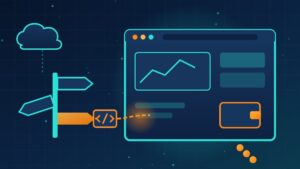
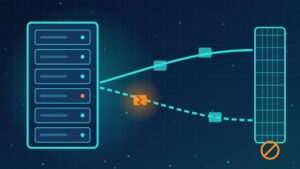
A package firewall that sits between your machines (or your internal package registry) and the public npm registry. Instead of pulling packages straight from the public source, laptops, build systems and coding agents send their requests through the firewall. It inspects both the metadata lookups and the downloads and stops anything that breaks the policy your company has set. GitHub describes it as an install-time policy gate.
Who can use it, and for which languages?
For now it supports npm only, the package system for JavaScript and Node.js. Every GitHub Enterprise Cloud customer can try the preview, and that includes organizations on the data-resident version.
What can it block?
- Known malware: packages with an active malware advisory in the GitHub Advisory Database.
- Vulnerable versions: by default only those with critical flaws, though admins can tighten that to high, medium or any severity.
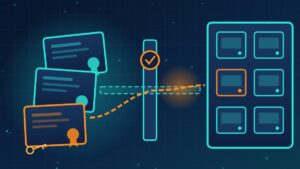
- Attestation downgrades: a new version that lacks the SLSA build attestation earlier versions carried.
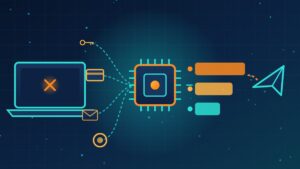
- New install scripts: packages that recently added preinstall or postinstall scripts, which attackers abuse to steal data the moment a package installs.
- Versions that are too new: a cooldown that refuses releases younger than a set age, anywhere from 1 to 365 days. The default is one day, and setting it to zero turns it off.
How does it decide a version is “new”?
From the release date in the package metadata, which GitHub notes is the package registry’s responsibility. Adam Leftik, a partner product manager at GitHub, told Help Net Security that companies can write custom policies that set their own waiting period.
What happens when it blocks something we actually need?
Developers can file an exception request, which enterprise administrators or security managers can approve.
What else came with it?
- AI Scan: reviews each pull request for security flaws, extending coverage to languages such as PHP, Shell and COBOL that rule-based scanning misses, and can sweep an entire repository when asked.
- A GitHub Security extension for the Copilot app: reviews code changes while a developer is still working, before anything is submitted for review.
- Reachability analysis: shows whether your code actually calls the vulnerable function behind a Dependabot alert, so teams can rank alerts by real risk.
Is a waiting period really worth it?
Similar cooldowns have spread across ecosystems and tools including npm, Python, Ruby, Visual Studio Code, Yarn, pnpm and Bun over the past year, and Rust plans a configurable minimum publish age, defaulting to seven days, in version 1.100 on November 12. The idea is to give researchers and registries time to catch a poisoned release before it spreads. Security firm Socket notes the tradeoff: legitimate fixes wait too, unless someone grants an exception, and a malicious release that goes undetected can simply outlast the delay.
What this means for your company
You do not need to be a software company to be exposed. If you have in-house developers, a contractor who builds your website or apps, or staff experimenting with AI coding tools, open-source packages are flowing into your environment. Whichever tools you use, ask your developers or vendors three questions: Where do our packages come from, and is there a checkpoint in between? Do we wait before adopting brand-new releases? Do build systems and AI agents install packages automatically, and with what access to secrets? Pair those answers with secrets kept out of build environments and a quick way to roll back a bad dependency.
Want a plain-language review of how code and AI tools are pulling software into your environment? Reach out to Layer 7 Data Solutions to discuss how we’ve helped companies similar to yours.
About The Author