
Under Three Hours From First Probe to Privileged Access: Microsoft Ties the ConnectWise Backup Breach to an AI-Driven Chinese Campaign
Microsoft says a China-aligned group it calls Storm-0940 used an AI penetration testing framework to abuse trusted ConnectWise cloud applications, attempting sign-ins to more than 2,250 Microsoft 365 tenants at machine speed. Here is how the attack unfolded in four acts, and the six layers that limit a trusted app gone bad.
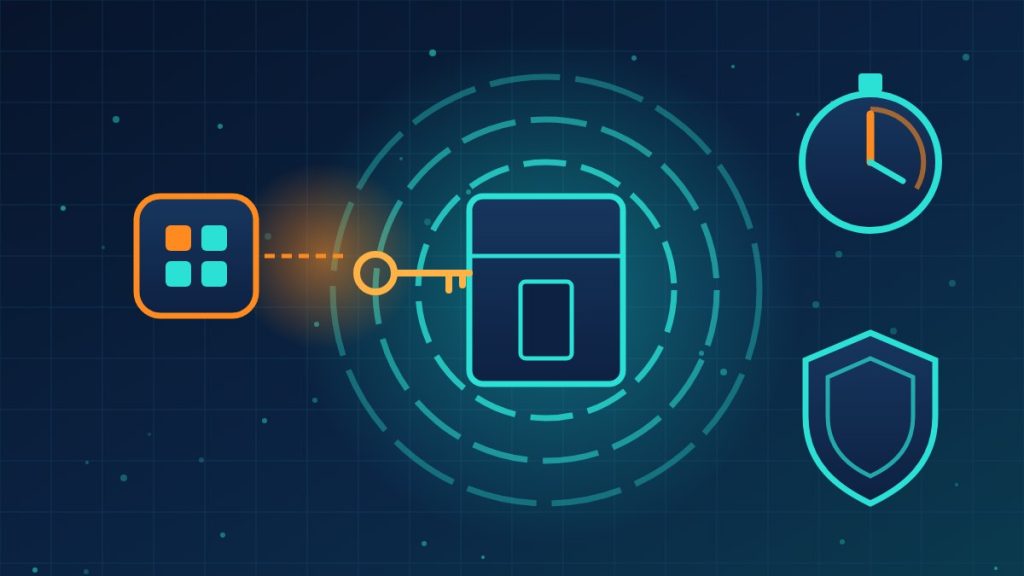
Here Is How Layered Defenses Help When the Attacker Arrives as an App You Already Trusted
Most security advice assumes the attacker has to get past a login. The campaign Microsoft described on Wednesday did not need one. It came in through applications that companies had already approved to read and back up their Microsoft 365 data, and it moved at a speed no human team could match.
This Pick is based on Microsoft Threat Intelligence’s report, with additional reporting from CyberScoop and The Hacker News.
Who and what
Microsoft attributes the recent compromise of the ConnectWise Cloud Backup application to Storm-0940, a China-state aligned group active since at least 2021 that targets many industries for data theft. Since as early as September 2026, Microsoft says, the group has used ARTEX, an AI penetration testing framework in which multiple AI agents run an attack from reconnaissance to data theft with little human involvement. Microsoft says it has seen threat actors in several regions using the same framework. It also says the activity did not come from any compromise of, or vulnerability in, Microsoft’s own systems or products.
The attack in four acts
Act 1: The spray that failed (October 10 to 14)
From a single IP address, the group sprayed passwords at 327 Microsoft 365 and Exchange Online accounts across eight organizations. Microsoft logged more than 151,000 failed sign-ins, peaking at 2,900 failures per minute on October 11. Forty-eight accounts each took more than 1,000 failures, and nearly all of the responses were lockouts. Nothing got through.
Act 2: The pivot to a trusted app (October 15)
The next day, the group gained control of the identities of several ConnectWise cloud applications. Indicators published by ConnectWise on October 16 included the same IP address used in the spray, Microsoft says.
Act 3: Machine-speed spread
Using those app identities, the group’s AI agents authenticated to customer tenants where the apps were already trusted, so no interactive user sign-in was needed. Microsoft says ARTEX attempted sign-ins to more than 2,250 tenants at 2,900 attempts per minute. In several of the group’s ARTEX-driven attacks, the time from first targeting to privileged cloud access was under three hours.
Act 4: The backdoors left behind
In some tenants the agents went further, using Microsoft Graph to run reconnaissance, change application credentials and alter identities, groups and privileged roles. Microsoft warns that these changes can persist as a backdoor even after the original application is cleaned up. Microsoft has not said how many customers were compromised, and it stresses that a successful sign-in does not necessarily mean data was accessed or stolen.
ConnectWise, which temporarily shut down services in the wake of the attack, began restoring them in phases on Wednesday and told customers to keep connections disabled until it provides instructions. In a statement quoted by The Hacker News, the company said MSPs are both targets themselves and a path into every client they serve. A Microsoft executive, Igor Tsyganskiy, wrote that this attack is just one of many in a wave of AI-driven attacks since early October.
Six layers that blunt a trusted app gone bad
Layer 1: Fewer apps, smaller permissions
Every third-party app with access to your tenant is a door. Review the list regularly, remove what is no longer used, and grant only the permissions each app truly needs. Microsoft’s own advice is to apply least privilege to multi-tenant app permissions and consent grants.
Layer 2: Control who can approve new apps
Require an administrator to review consent requests instead of letting any user approve an app. In Microsoft 365, admin consent workflows in Entra ID are one example.
Layer 3: Lockouts and strong sign-in for people
Act 1 produced no successful sign-in, with lockouts making up nearly all of the responses. Multifactor authentication, ideally phishing-resistant, and blocking legacy sign-in methods keep password spraying a dead end.
Layer 4: Watch the apps, not just the users
App sign-ins do not trigger the prompts users see, so they need their own monitoring. Alert on new credentials added to apps, new privileged role assignments and app activity from unfamiliar locations. Tools such as Microsoft Defender XDR, Defender for Cloud Apps or a third-party SIEM can do this.
Layer 5: Limit where app identities can connect from
Where your licensing supports it, policies that restrict service principals to expected locations or networks, such as Conditional Access for workload identities, can turn a stolen app credential into a failed sign-in.
Layer 6: Keep the evidence, and an independent copy of your data
Logs are only useful if they still exist when you need them, so keep sign-in and audit logs long enough to look back weeks. And because the target here was a backup service, make sure at least one copy of critical data does not depend on a single vendor’s access to your tenant.
Microsoft’s checklist if the affected apps were ever in your tenant
- Keep the affected ConnectWise app connections disabled until ConnectWise gives formal restoration instructions.
- Do not delete the enterprise applications first. Preserve configuration and evidence.
- Search every tenant by application ID, not display name, including tenants where the integration is no longer used.
- Review service principal sign-ins from at least October 15, and back to October 1 where logs allow. Review successful and failed sign-ins separately, and do not limit the search to published IP addresses.
- Look in audit logs for new app credentials, new apps or owners, consent grants, privileged role assignments, and changes to users, groups, authentication methods or Conditional Access.
- Check for unusual mail or file access, forwarding, inbox rules and mailbox permission changes.
- Once evidence is preserved, have an authorized responder remove unauthorized credentials, grants and identities, and confirm that vendor credential rotation actually closed the access.
What this means for your company
Whether or not you ever used ConnectWise, this attack is a preview: AI tools now let attackers test trusted connections across thousands of companies in hours, so the gap between a vendor breach and your exposure is shrinking. This month, get a list of every third-party app connected to your Microsoft 365 or Google Workspace tenant along with what each can do, and remove anything unused or over-permissioned. Confirm someone is alerted when an app gains new credentials or admin rights, and check that your logs go back far enough to investigate. Products named here are examples only. The protection comes from stacking these layers, so a single trusted app that goes bad cannot reach everything.
Need help auditing the apps connected to your cloud tenant and building monitoring that catches a trusted integration gone rogue? Reach out to Layer 7 Data Solutions to discuss how we’ve helped companies similar to yours.
About The Author







