Case File: MALFEX, the npm Campaign That Keeps Re-Publishing Its Windows Malware Under New Names
A malicious npm package called imgdecode hides a Windows loader inside a compiled add-on, and the group behind it has been replacing removed packages within days. Here is the case file and a checklist for development teams.
When a registry takes down a malicious package, the usual assumption is that the threat is over. The operators behind a campaign researchers call MALFEX have shown how wrong that can be: when two of their packages were removed from npm, the JavaScript package registry, replacements appeared within two days, and a new loader followed hours after one of those was pulled too.
The Hacker News laid out the findings, which come mainly from software supply chain security firm SafeDep, building on earlier write-ups by Checkmarx and CloudSEK.
The suspect package
- Name: imgdecode.
- Published: September 30, 2026, by an npm user called “malfexteste8.” Latest version 1.0.3, published October 11.
- Reach: 979 downloads, and still listed on npm when The Hacker News published its report.
- Target: Windows machines. The loader checks that it is running in a developer’s console before doing anything.
The wider campaign
MALFEX has been pushing malicious packages to npm since August 6, 2023, through five earlier publisher accounts. Of the eight packages identified before imgdecode, three loaded a remote access trojan called Overlord RAT; three others (cdn-img-fetch, img-to-native and native-runner) worked as a chain to fetch and run an information stealer; and a third route used an install-time script to contact a server and pull down a further program.
Method of operation
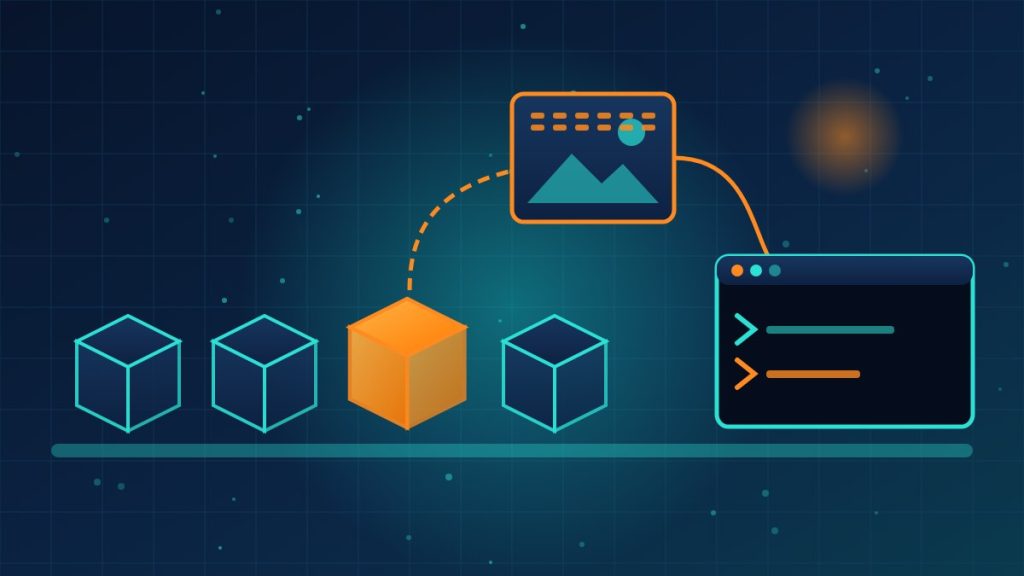
- The package’s JavaScript is only nine lines. Its job is to load a compiled Windows DLL bundled as a Node.js add-on, where a quick read of the JavaScript would not reveal it.
- The DLL confirms it is running inside a developer’s console, then downloads a picture file from a GitHub repository.
- Hidden inside that image is encrypted code. The DLL decrypts it and injects it into a fresh copy of the legitimate Windows process dllhost.exe.
- SafeDep spotted what looks like a built-in off switch: if the decrypted content turns out to be an ordinary image, the loader stops. SafeDep infers that the operators could use this to pause the loader remotely.
The pattern of evasion
- September 28: npm removes native-runner and img-to-native.
- September 30: imgbundle and runhelper appear as stand-ins; runhelper is unpublished later that day, and imgdecode 1.0.0 arrives about six hours after that.
- October 7 and 8: npm removes imgbundle and cdn-img-fetch.
- October 11: imgdecode 1.0.3 drops its last dependency on other MALFEX packages, so it now works on its own.
What the payload does
The stealer first checks for virtual machines, sandboxes and analysis tools such as Process Monitor and Wireshark. It then hunts for crypto wallet seed phrases and files ending in .kdbx (password databases), .pem and .ppk (keys) and .env (application secrets), along with data from Chromium-based browsers, Discord, Telegram, crypto wallets and several gaming platforms. It also opens a live connection that lets the operator run commands, move files, read the clipboard, take screenshots and control the mouse and keyboard. It persists through a Registry Run key and a scheduled task named “MicrosoftEdgeUpdateService.”
Checklist for development teams
- Search package-lock and yarn lock files, and developers’ global installs, for imgdecode, imgbundle, runhelper, cdn-img-fetch, img-to-native and native-runner.
- Look for a scheduled task with the name above and for the file node_runtime_helper.exe under %APPDATA%\Microsoft\Windows.
- Block and search logs for the command-and-control address published by the researchers, 104.234.65[.]75.
- If anything turns up, follow the researchers’ advice: treat the Windows machine as compromised, isolate it, check for persistence, rotate every credential and key it held, and move any crypto funds whose seed phrases were stored on it.
What this means for your company
A developer’s laptop often holds the keys to everything else: cloud consoles, code repositories, production databases. If your business writes software, or pays contractors who do, ask how new open-source packages are vetted before they are installed, whether builds use locked dependency versions, whether developer machines run the same endpoint protection as everyone else’s, and whether secrets live in plain .env files on those laptops. None of those controls is exotic, and together they turn a single bad install from a breach into a contained cleanup.
Need help putting guardrails around the open-source packages your developers and contractors install? Reach out to Layer 7 Data Solutions to discuss how we’ve helped companies similar to yours.
About The Author