No Patch Yet for New Tailscale SSH Findings: A Briefing on the Root-Access Claims, What Is Still Unverified, and the Settings to Tighten This Week
A researcher says one compromised device on a Tailscale network can gain root on other servers through Tailscale SSH port forwarding. Tailscale says it is working on fixes but has not issued a bulletin or patch. Here is a briefing on the claims and the configuration changes that limit the risk.
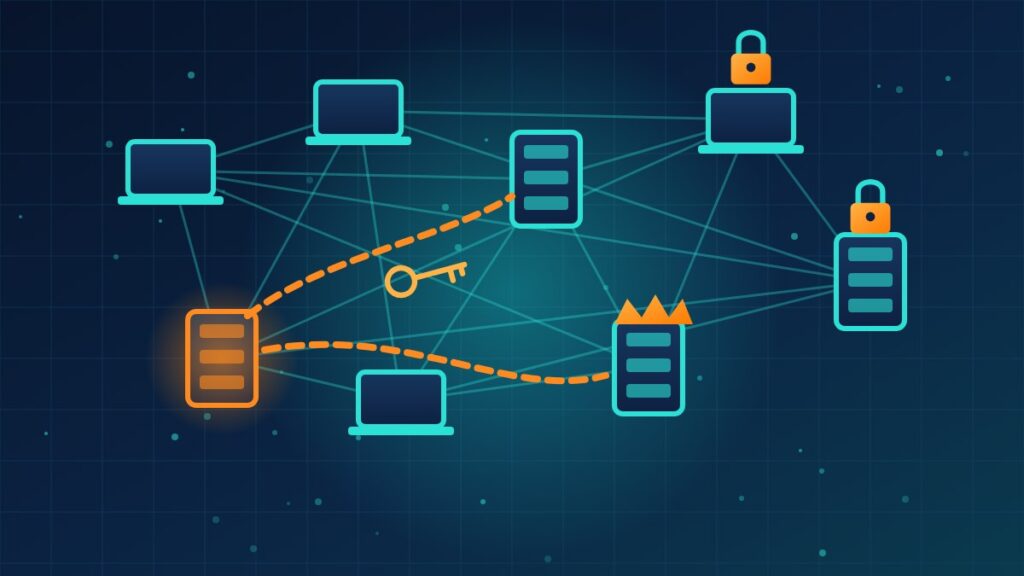
Tailscale has become a popular way for small teams to reach servers and office machines without a traditional VPN. A new research report argues that one of its convenience features, Tailscale SSH, can let an attacker who already controls one device take full control of others. There is no fix yet, so the useful response right now is configuration.
The details below come from The Hacker News’ reporting on the research and Tailscale’s response.
The report in brief
Erica Windisch of Cyberdione Labs published a report called Tailworm on October 25. She tested Tailscale 1.104.2 and headscale 0.29.5, the self-hosted control server some organizations use in place of Tailscale’s hosted service, over three days in a lab. The report contains 11 findings. The most serious concern Tailscale SSH when it is set up to allow port forwarding.
Why Tailscale SSH is a special case
A normal SSH server asks for a password or key. Tailscale SSH instead identifies the connecting device, and an access rule decides whether that device may open a session. That means the attack described in the report needs no stolen passwords or keys. It does need a foothold on one permitted device first, gained the usual ways, such as a vulnerable web app, a poisoned software package, phishing or stolen logins.
What the lab work showed
- Root through a forwarded socket. Using standard SSH port forwarding, an ordinary session made the root-level Tailscale process connect to a system socket only root should reach. The test gained root and read the system password file almost at once.
- Swapping a socket. A second method replaced a root-owned socket with the attacker’s own, allowing root commands against certain services.
- Beating a safety check. A third method raced the check that limits which files forwarding can touch. In the lab it captured a key used to enroll new devices and joined an attacker’s machine to the network as a trusted server. That last step completed only where Tailscale’s Tailnet Lock feature was off.
- Beyond SSH. Windisch told The Hacker News that a finding in an experimental app connector feature may matter more to some organizations, because it can let a permitted user reach destinations the security team never approved, including a cloud provider’s metadata service, which can hand out server credentials.
Confirmed, disputed and unknown
- Tailscale’s position: Mike Shaver, vice president of engineering, wrote on Reddit that the company received the report, had already been reviewing the same areas with outside specialists, found issues it is fixing, and is still working out which setups are affected. He said Tailscale is not recommending that everyone disable Tailscale SSH.
- No CVE, bulletin or fixed version existed as of publication.
- Not independently reproduced. The findings rest on Windisch’s report, the proof-of-concept code is not public, and Tailscale has not confirmed the specific technical claims.
- “Wormable” is debated. In the lab, one device spread to every device the rules allowed in under a second per step. Some researchers have questioned that label, while others call the root-access finding serious. No spread has been seen on real networks.
- Two things stopped the spread in testing: access rules written as single source-to-destination pairs, and device keys tied to hardware such as a TPM or Secure Enclave.
Settings to tighten this week
- Rewrite Tailscale SSH rules as one device to one target, and remove broad rules based on identity or tags.
- Turn off SSH port forwarding wherever you can. On the hosted service it is a per-rule setting. On headscale 0.29.5 it cannot be turned off, so treat every SSH grant there as root on the target.
- Remove app connector permissions from devices that do not need them, and remove any serve forward that points at a Unix socket.
- Turn on node key expiry and, where possible, Tailnet Lock and hardware-bound device keys.
- Enable SSH check mode and automatic updates, as Tailscale suggests. Check mode adds a sign-in step but does not fix the privilege problem itself.
- If a device is compromised, delete it in the admin console. Reimaging the machine does not revoke keys that may already have been copied.
What this means for your company
Mesh VPN tools make remote access simple, and that simplicity can hide how much trust one laptop or server holds. Whatever remote access product you use, the defenses here are the same: grant each device access only to the specific systems it needs, keep privileged features such as forwarding off unless required, expire device keys, and have a quick way to cut off a lost or compromised machine. If Tailscale SSH is part of your setup, review its rules this week rather than waiting for the patch.
Need help reviewing your remote access rules and tightening device-level trust across your network? Reach out to Layer 7 Data Solutions to discuss how we’ve helped companies similar to yours.
About The Author